
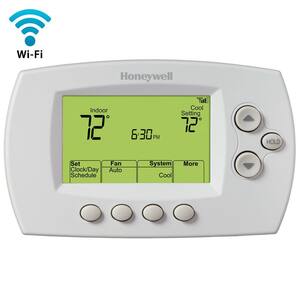
Honeywell's "Total Connect Comfort" site is quite functional. I have seen absolutely terrible sites, and this one isn't one of those. On the other hand, it does have a clunk factor. For example, e-v-v-v-v-e-r-y-t-i-m-e I want to access my virtual thermostat, I have to
- type my password
- submit
- choose on my location (I have more than one location)
- choose my thermostat (I have more than one thermostat)
and finally I am presented with my virtual thermostat. And then it times out after 10 minutes, and I have to start over.
Let's short circuit that process. I want it to log me in automatically. As well, I almost always want to get to just one thermostat, so I would like to skip the choices and take me to a specific thermostat.
Let's short circuit that process. I want it to log me in automatically. As well, I almost always want to get to just one thermostat, so I would like to skip the choices and take me to a specific thermostat.
Create a file named "thermostat.html" containing:
- DEVICEID to your DeviceID - login and navigate to your virtual thermostat, then copy your DeviceID from the URL. It is a six-digit number.
- EMAIL - your email address
- PASSWORD
Now navigate to this file. File/Open, hit Ctrl-O, or whatever, and open this file in your browser. If everything works right, you'll get logged in automatically and land on your virtual thermostat.
 You can also change the icon by changing the href="URL" on the first line. The link above uses the icon to the right.
You can simply one step further by adding this page to your bookmark bar. Then clicking a button on the bookmark bar will take you directly to your virtual thermostat. Do do so, first disable the automatic submit(). Edit the file and change "document" to "xdocument". Now load the page. It will be blank except for the submit button. Bookmark this bar. (There are many ways to do it. In many browsers, you can drag the icon next to the URL onto the bar.) Once you have created the bookmark, turn "xdocument" back to "document", and you now have a button that takes you directly to the virtual thermostat.
In Chrome, you can do one better. Instead of bookmarking, try Settings/Tools/Create Application Shortcut, and have it pin a shortcut to your task bar. Then change "xdocument" back to "document". Now you have a button on your toolbar that opens a Chrome application window directly to your virtual browser.
You can simply one step further by adding this page to your bookmark bar. Then clicking a button on the bookmark bar will take you directly to your virtual thermostat. Do do so, first disable the automatic submit(). Edit the file and change "document" to "xdocument". Now load the page. It will be blank except for the submit button. Bookmark this bar. (There are many ways to do it. In many browsers, you can drag the icon next to the URL onto the bar.) Once you have created the bookmark, turn "xdocument" back to "document", and you now have a button that takes you directly to the virtual thermostat.
In Chrome, you can do one better. Instead of bookmarking, try Settings/Tools/Create Application Shortcut, and have it pin a shortcut to your task bar. Then change "xdocument" back to "document". Now you have a button on your toolbar that opens a Chrome application window directly to your virtual browser.
